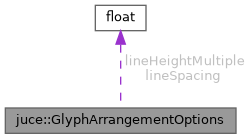
Options that can be used to affect the layout produced by GlyphArrangement::addFittedText.
More...
#include <juce_GlyphArrangementOptions.h>
|
| auto | tie () const noexcept |
| |
Options that can be used to affect the layout produced by GlyphArrangement::addFittedText.
- See also
- GlyphArrangement::addFittedText
@tags{Graphics}
◆ getLineHeightMultiple()
| const auto & juce::GlyphArrangementOptions::getLineHeightMultiple |
( |
| ) |
const |
|
inline |
◆ getLineSpacing()
| const auto & juce::GlyphArrangementOptions::getLineSpacing |
( |
| ) |
const |
|
inline |
◆ operator!=()
◆ operator<()
◆ operator<=()
Less-than-or-equal operator.
◆ operator==()
◆ operator>()
◆ operator>=()
Greater-than-or-equal operator.
◆ tie()
| auto juce::GlyphArrangementOptions::tie |
( |
| ) |
const |
|
privatenoexcept |
◆ withLineHeightMultiple()
We multiply the original distance between the baselines of subsequent lines with this value.
The line height multiple is applied to both the ascender and descender, hence it affects the first line's baseline.
The total distance between baselines is lineHeight * lineHeightMultiple + lineSpacing.
References juce::withMember().
◆ withLineSpacing()
We increment the distance between the baselines of subsequent lines with this value.
Line spacing is added below the line's descender, and doesn't affect the first line's baseline.
The total distance between baselines is lineHeight * lineHeightMultiple + lineSpacing.
References juce::withMember().
◆ lineHeightMultiple
| float juce::GlyphArrangementOptions::lineHeightMultiple = 1.0f |
|
private |
◆ lineSpacing
| float juce::GlyphArrangementOptions::lineSpacing = 0.0f |
|
private |
The documentation for this class was generated from the following file:


 1.9.8
1.9.8